press N for facilitator notes in a separate window
1 / 1
Winning by Design · Growth Institute
GTM AI, in the open.
A working session for members. First the housekeeping, then a show and tell of what is actually getting built, then your turn to share.
Two parts, one promise: you leave with ideas you can use.
Part One
Housekeeping
Welcome new members, upcoming courses and events, research working group updates and new opportunities.
Part Two
GTM AI show and tell
A few of my core use cases, simple to complex, then an open floor for what you are building.
Part One
Welcome, new members.
Ian
Glad to have you in the room.
Marco
Welcome to the group.
Alexandru
Great to have you here.
Graydon
Welcome aboard.
What is coming up.
Upcoming
Courses and events
The next live sessions and workshops on the calendar. Bring a teammate who would benefit.
Research
Working group updates
Latest findings, plus new opportunities to join a study and shape what we publish next.
Part Two · Show and Tell
GTM AI innovations.
Dan Smith, Chief Learning Officer at Winning by Design. A few things I have actually built, from a simple Slack teammate to a probabilistic forecast.
AI is not a shortcut. It is preparation.
The reps and leaders pulling ahead are not asking AI to do the work. They are using it to walk in more prepared than they have ever been. Underneath all of this, one spine: SPICED as the protocol the AI runs on.
From shortcut to preparationFrom methodology to protocolFrom talking about AI to building with it
Use case 1 · simple
A teammate that lives in Slack.
Winnie is our OpenClaw agent sitting right in the team channel. Anyone can prompt her in parallel, no new tool to learn. Ask for an account brief, a deal read, a draft, and she answers in the thread.
Lives where the team already worksConnected to HubSpot for real contextMany people, prompting at once
Use case 2 · the spine
SPICED as a skill graph.
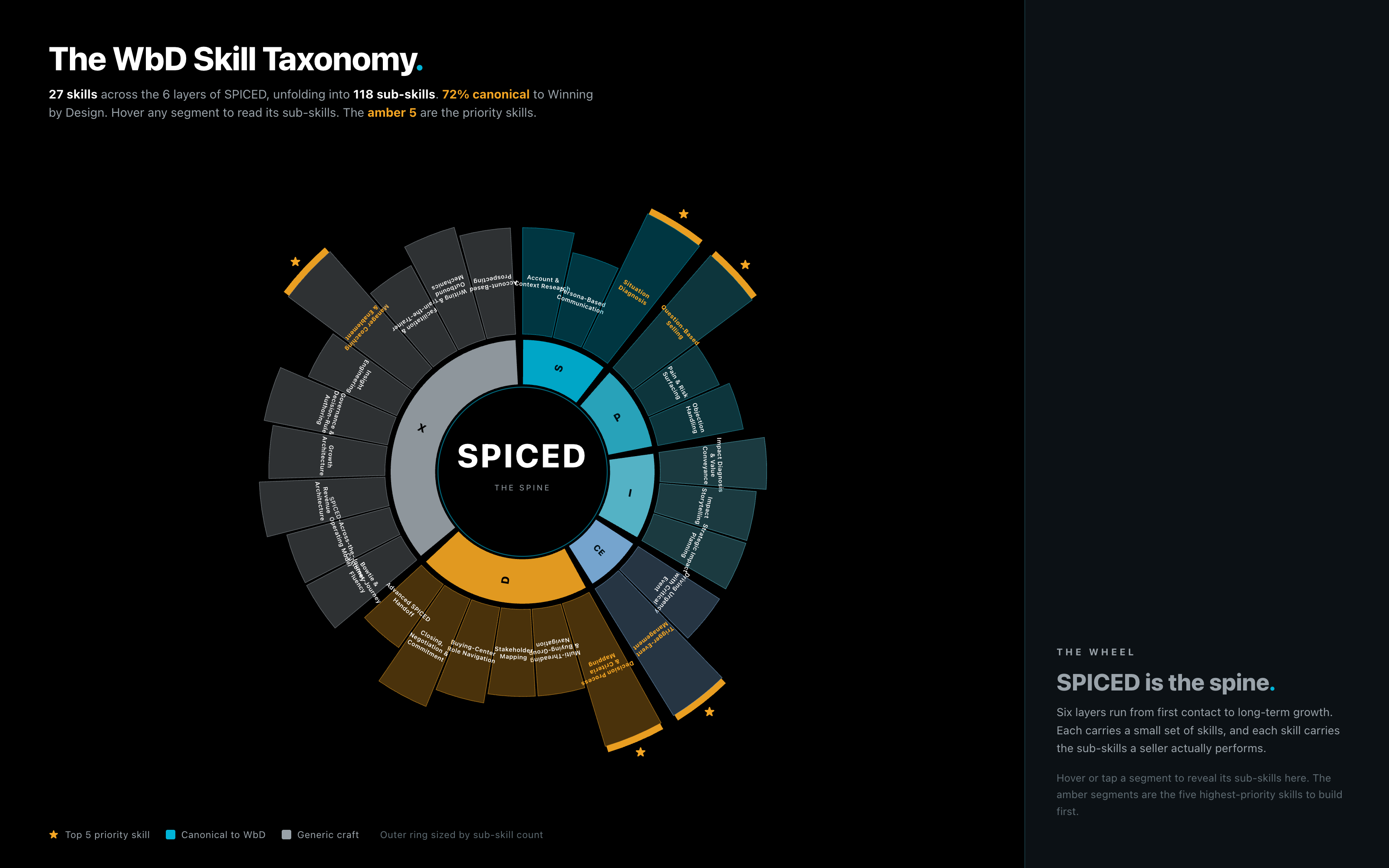
27 skills across 6 layers, unfolding into 118 sub-skills. Not a methodology to memorize, a structure a machine can read. Hover any segment to open its sub-skills.
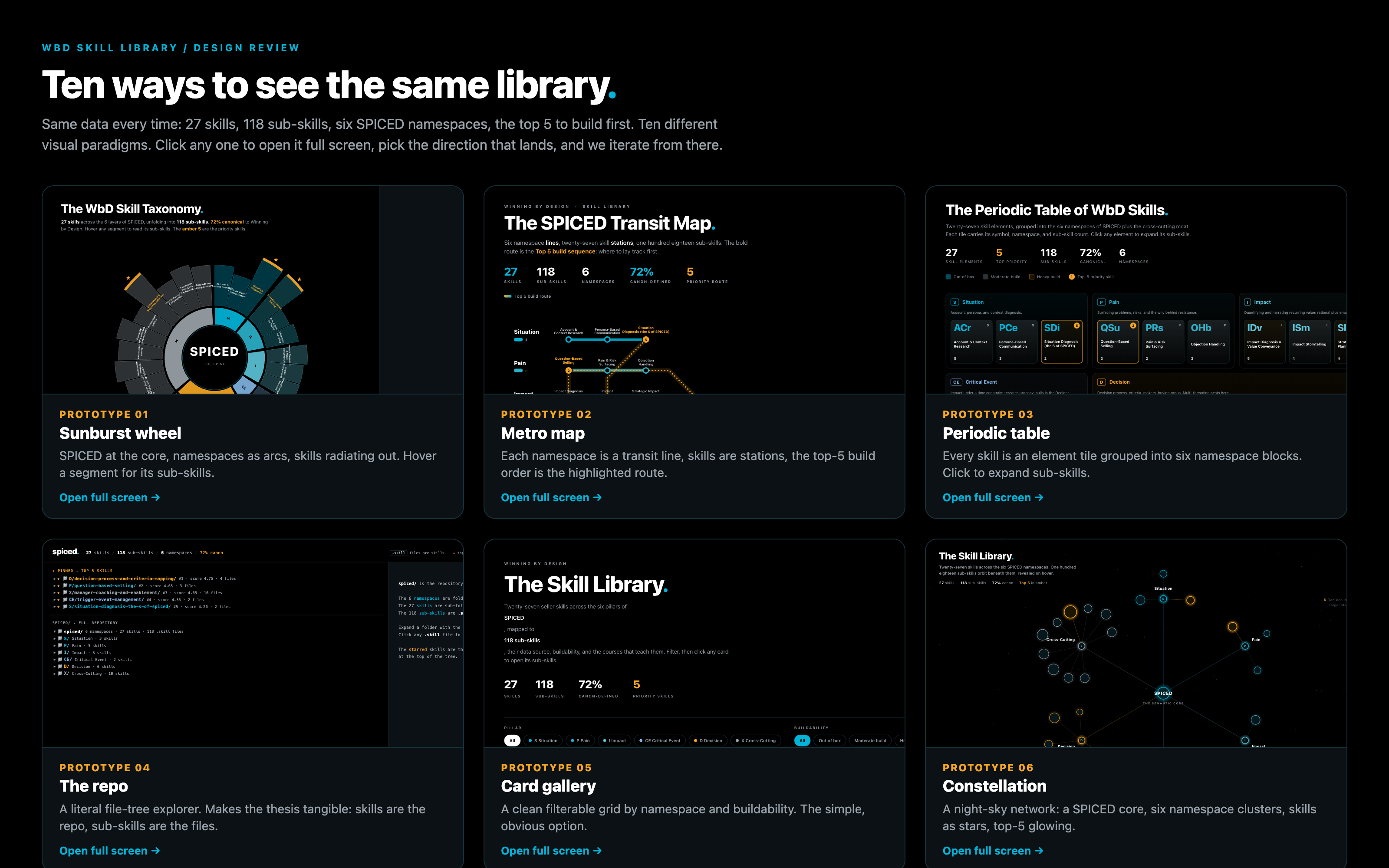
Same data every time. I had the AI render the skill library ten different ways, then picked the one that landed. This is the new design loop: generate options, choose, iterate.
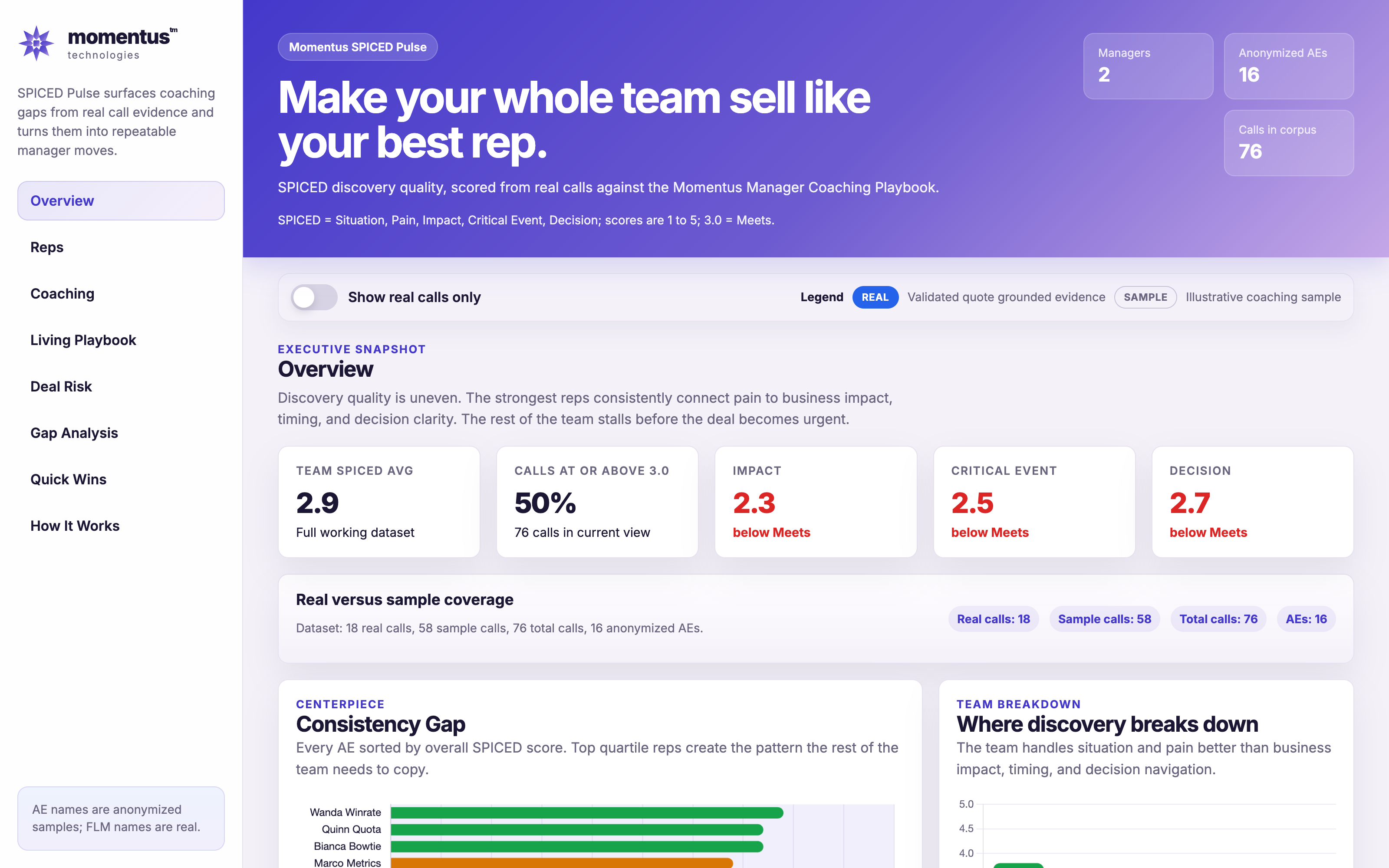
SPICED Pulse reads call transcripts and scores discovery quality against the coaching playbook. Per rep, per deal, with risk and next moves. Names anonymized, no customer data on screen.
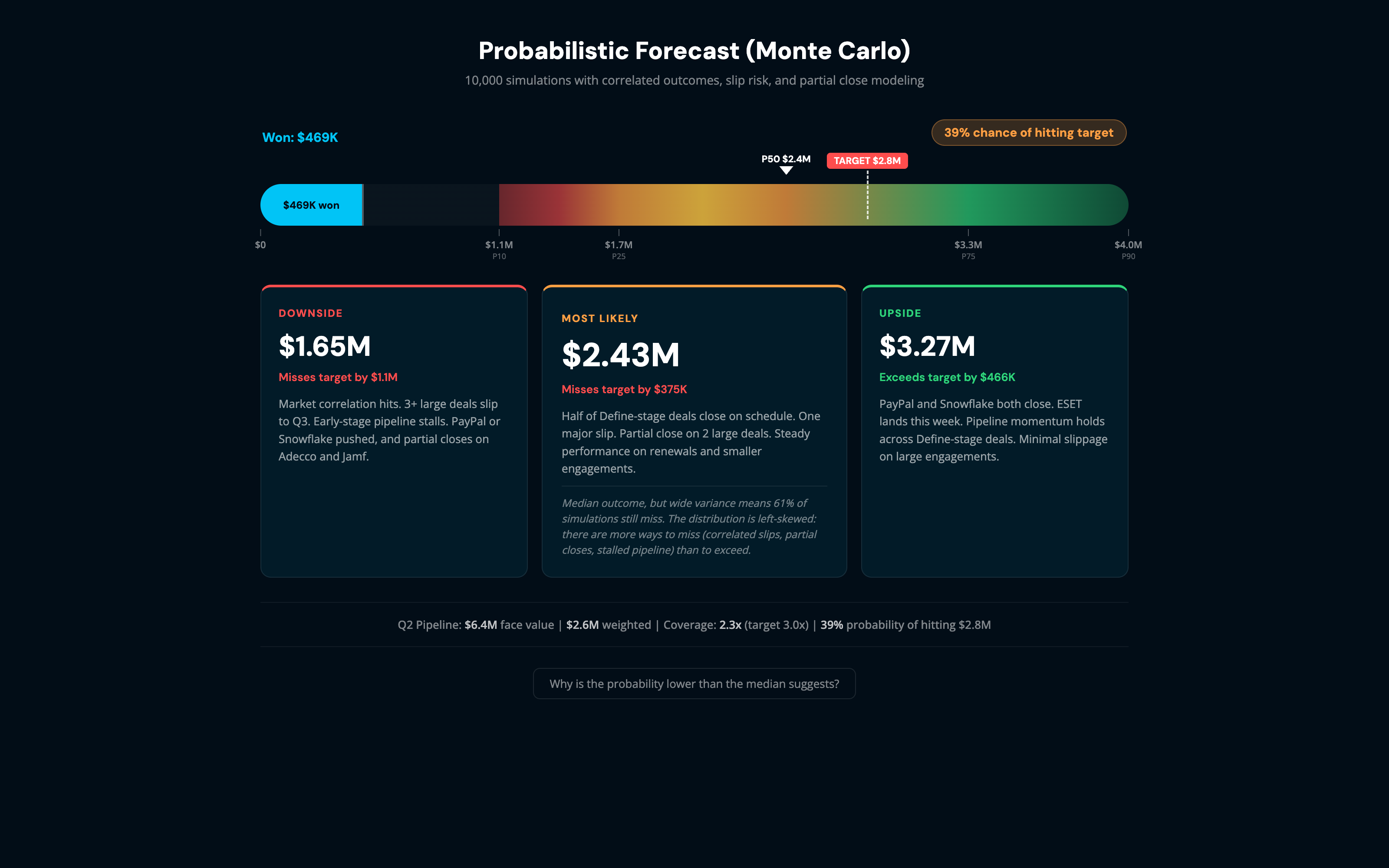
10,000 simulations with correlated outcomes and partial close modeling. Instead of one number, a downside, a most likely, and an upside, each with the odds. Sample data only.
My new course format replaces the Google Sheet breakout with a live AI prompt in Claude. Learners rehearse a hard conversation against the model before they ever have it for real.
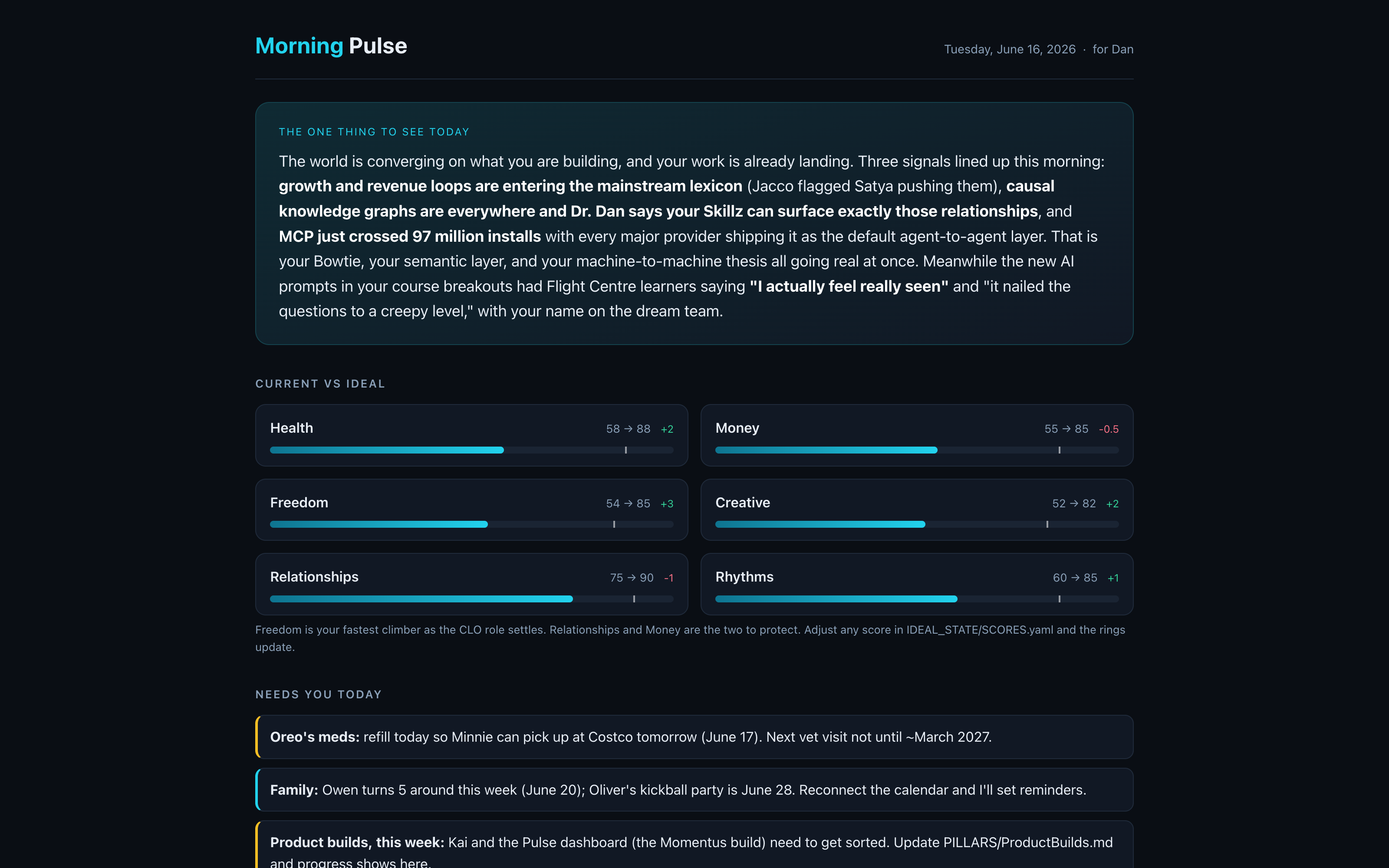
One page every morning: the one thing to see today, current versus ideal across my life, what needs me, the WbD pulse, and the AI signal worth my time. From scattered tabs to a single read.
1The win is rarely the model. It is putting the agent where people already work.
2The bottleneck moved from doing the work to describing what good looks like.
3The reps pulling ahead treat AI as preparation, not as an answer machine.
4If your data has no shared structure, your AI has nothing to reason on. That is why SPICED matters.
Your turn · Question 1
What is the smallest AI workflow that changed your week?
Not the big project. The little one you would actually recommend to the person next to you.
Your turn · Question 2
Where did AI let you down, and what did you learn?
The failures teach the room more than the wins. What did you stop trusting it to do?
Your turn · Question 3
What would you build if it took an afternoon, not a quarter?
Because for a lot of this, it now does. What is on your list that you have been putting off?
Before you go
Share one in Slack.
Post one thing you are building, or one question you are stuck on, in the channel today. The best ideas in this group travel between sessions, not just during them.
Facilitator NotesMirroring to a projector? Press P for a separate window so the room only sees the slide.
Presenter controls
→Space
Next slide (works with a clicker / PageDown)
←
Previous slide (PageUp)
NP
Open facilitator notes in a SEPARATE window with a timer. In Zoom, share only the slides window so members never see your notes.
O
Overview, jump to any slide
B
Black the screen for an open discussion
F
Fullscreen
?
This help
Presenting in Zoom? Press N to pop the facilitator notes into a separate window, then in Zoom share only the slides window. Projecting in a room? Set your display to Extend, not Mirror. Showcase slides: click any screenshot to open the live app in a new tab.